
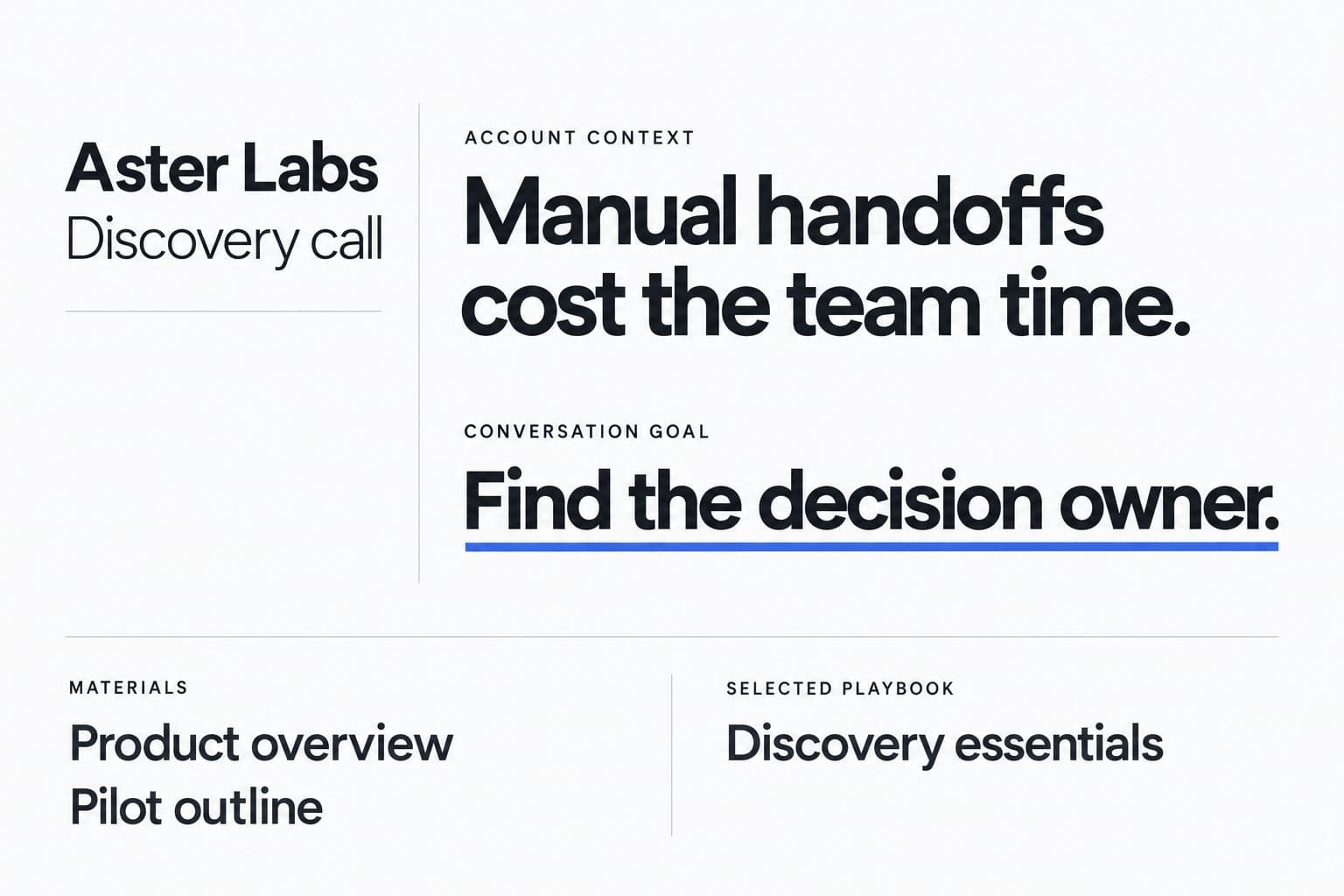
Load the answers before the call.
A Prospect keeps your deal context together: the brief, the materials you attach and the Playbook you choose. The copilot has something specific to work with when you go live.
Live deal copilot for B2B AEs and founders
Sales Copilot is a real-time sales call assistant for account executives and founders who sell. It listens through your desktop audio and puts answers on your screen, drawn from your own pricing sheet, case studies and Playbook. No bot joins the meeting, and no audio recordings are stored.
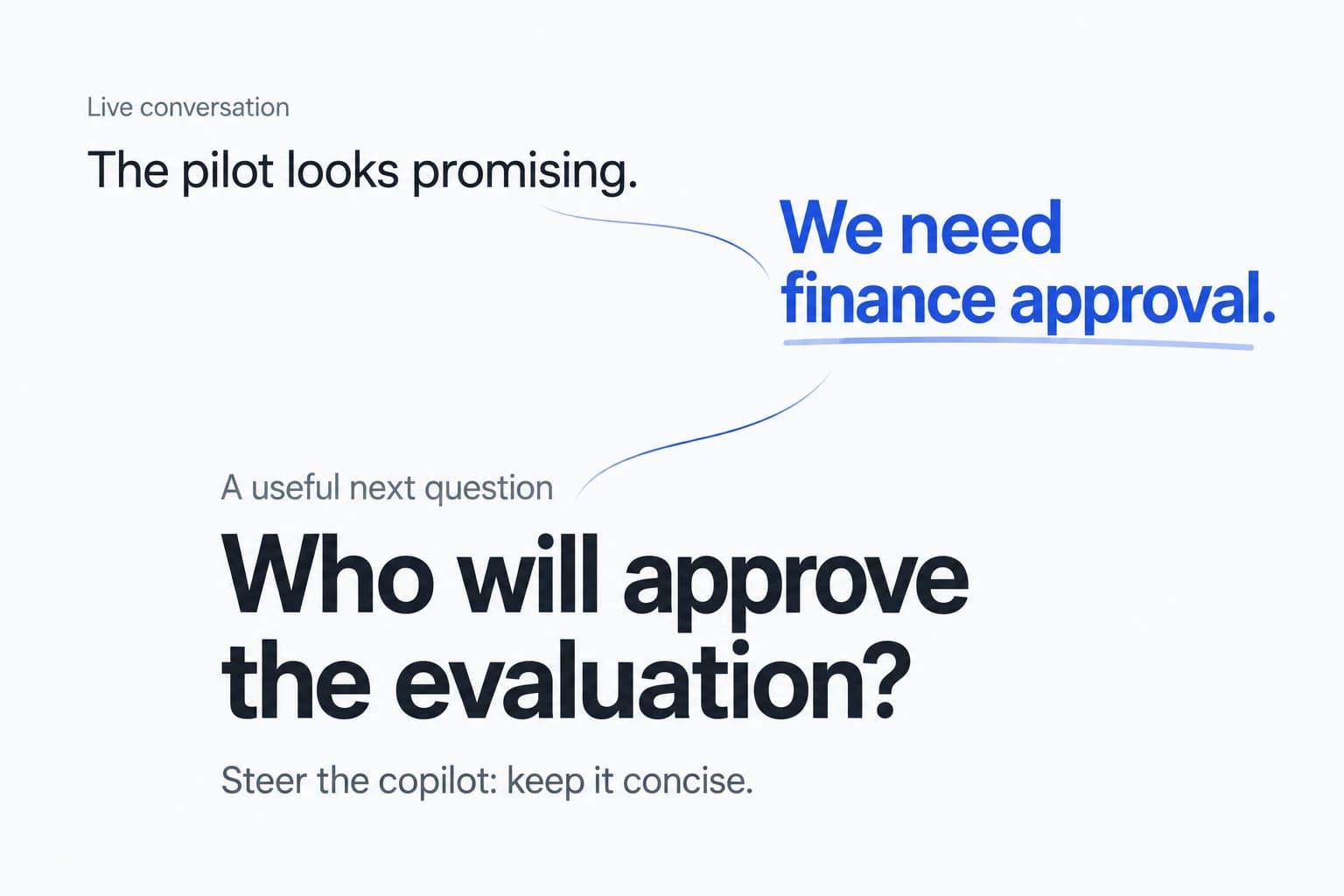
A real-time sales call assistant is software that follows a live sales conversation and suggests what to say while the call is still happening: answers to pricing questions, responses to objections, competitor positioning and technical facts. An AI notetaker summarizes the call after it ends; a real-time assistant helps during it.
Sales Copilot is a real-time sales call assistant that runs as a desktop app. It captures your microphone and system audio instead of joining the meeting as a bot, and it grounds suggestions in the Prospect brief, materials and Playbook you attach to each deal. Before and after the call, the same app handles preparation, AI rehearsal and the debrief.
When a buyer pushes on price, asks for proof or names a competitor, you get a response to work with while the conversation is still live.
“If we sign for two years, what can you do on price? And has anyone our size actually rolled this out?”
You stay in your meeting app. The copilot sits alongside it on your desktop, and what you say is still your call.
Most tools cover one moment of the deal. Sales Copilot keeps the whole cycle on one Prospect, so the context you build before the call is there when it counts.
Write a Prospect brief, attach materials from your Library and pick the Playbook for this conversation.
Practice with an AI buyer persona at Cooperative, Realistic or Challenging difficulty, using the same context.
Get on-screen answers and talking points during the real call, automatically or on request.
Review feedback with transcript evidence, the Account Action Plan and the coaching memory you carry forward.
A Prospect keeps your deal context together: the brief, the materials you attach and the Playbook you choose. The copilot has something specific to work with when you go live.
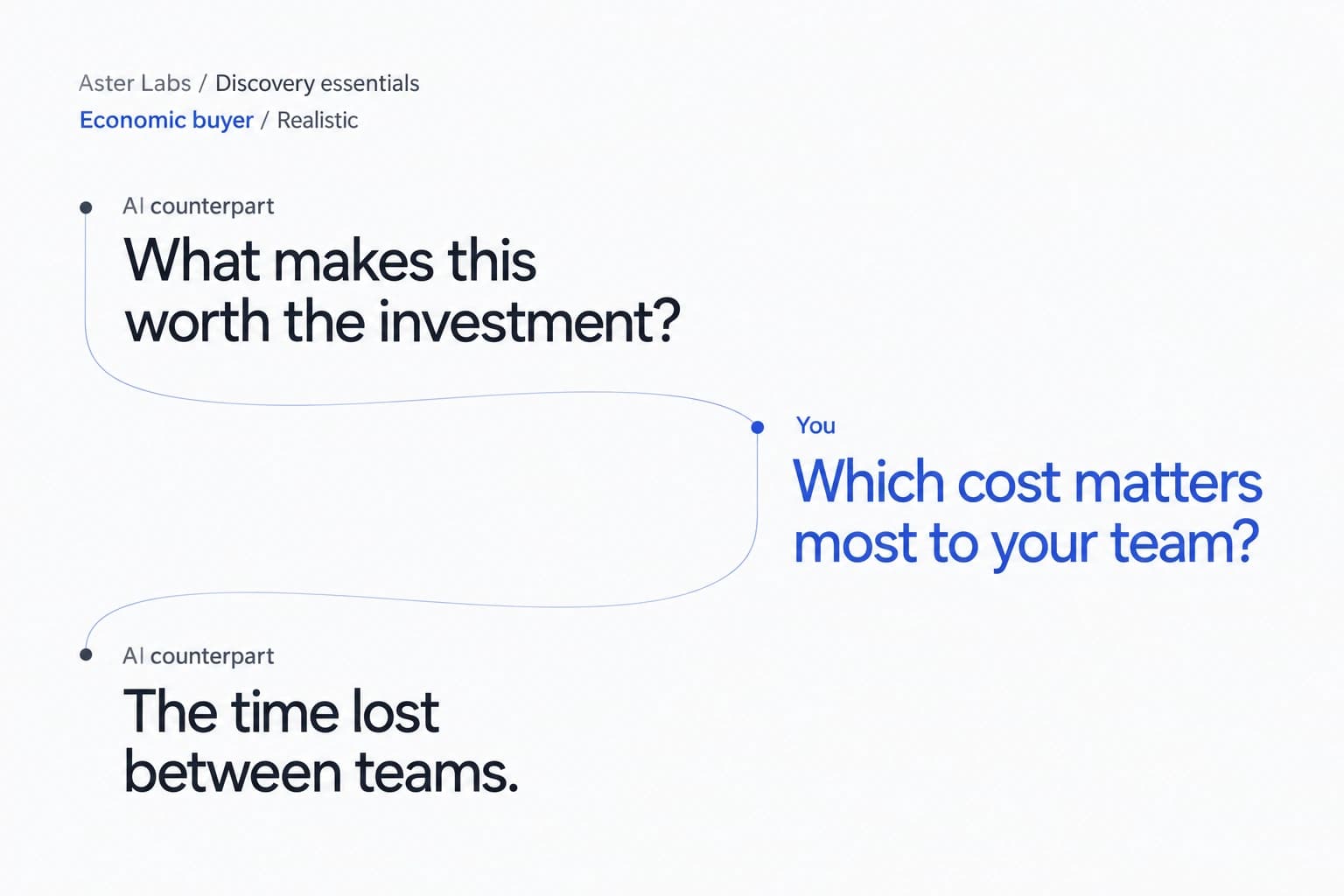
Rehearse with an AI buyer that uses your Prospect, materials and Playbook. You speak; the counterpart replies in text. Work through the objections before the buyer raises them.
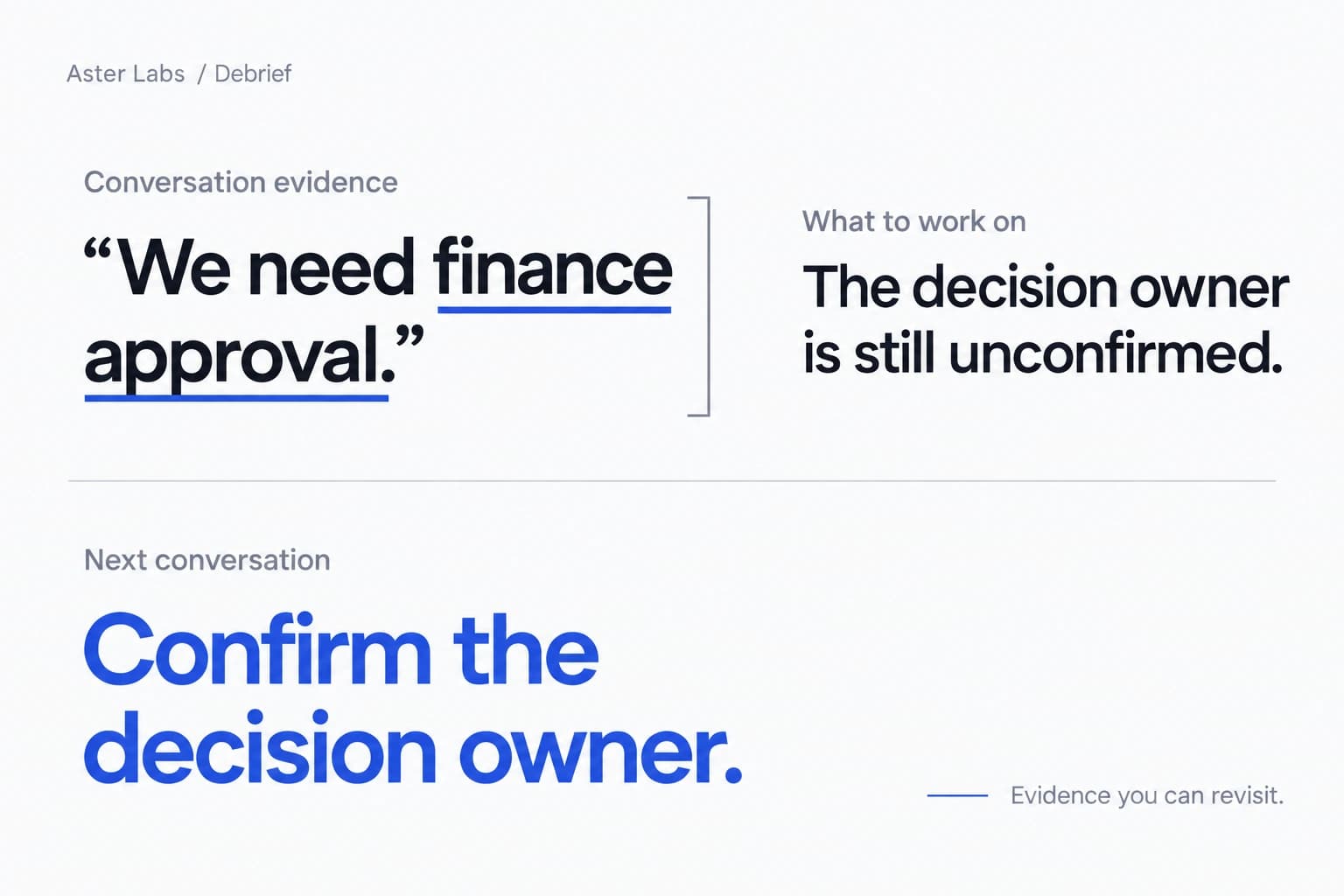
Revisit the transcript behind your feedback, keep the Account Action Plan with the Prospect, and carry a focus into your next rehearsal and call.
You know the product better than anyone, but not every price point, security answer and case study by heart. Keep them on screen when a buyer asks.
Run discovery, demos and negotiations with your own materials one glance away, then debrief and walk into the next call with a plan.
No enablement team yet? Turn the founder's pricing sheet, case studies and talk track into a Playbook you can rehearse against and use live.
Different tools help at different moments. Here's where Sales Copilot fits next to the categories buyers usually evaluate.
| Sales Copilot | Post-call AI notetakers | Enterprise revenue platforms | |
|---|---|---|---|
| Main moment it helps | During the call, plus prep, rehearsal and debrief | After the call: summaries, notes, follow-ups | Across the pipeline: recording, analytics, forecasting, engagement |
| How it captures the call | Desktop app using your mic and system audio; no bot joins | Often a bot participant or a meeting-platform integration | Usually recording through calendar and meeting integrations |
| Audio recordings | Not stored (transcripts and debriefs are kept) | Often stored for playback | Usually stored for playback and analysis |
| What answers are grounded in | Your Prospect brief, Library materials and Playbook | The recorded conversation | Call libraries and connected sales systems |
| How you buy | Personal and Team workspaces; see current pricing | Varies; many are self-serve | Typically sales-led, annual contracts |
Category descriptions are general and individual products vary. Check each vendor's own documentation for specifics.
See the pricing page for current subscription prices and availability.
One person, one independent Personal workspace.
See Personal pricingA separate Team workspace. A valid Team subscription covers its admitted members.
See Team pricingPersonal use requires a subscription. There is no free trial or preview.
It's software that follows a live sales conversation and suggests what to say while the call is still happening, such as answers to pricing questions, objection responses and product facts. Sales Copilot does this from a desktop app, using your microphone and system audio and the materials and Playbook you attach to each Prospect.
Notetakers mainly help after the call with summaries and follow-ups. Sales Copilot is built for the moment a question lands: it surfaces talking points on your screen during the call, then gives you a debrief and Account Action Plan afterwards.
No. Sales Copilot runs as a desktop app and captures microphone and system audio. You stay in your meeting app; nothing is added to the participant list.
Sales Copilot uses your microphone and desktop system audio rather than a meeting integration, so capture support depends on your operating system, permissions and meeting app. Check the audio permissions guide before your first call.
From the live conversation plus the context you give it: your Prospect brief, the documents you attach from your Library (for example a pricing sheet, case studies or security materials) and the Playbook you select. AI output can be wrong, so check facts before you say them.
Yes. Rehearse with an AI counterpart using the same Prospect, materials and Playbook. Pick a buyer persona, such as Economic buyer or Procurement, and a difficulty level: Cooperative, Realistic or Challenging. You speak; the counterpart replies in text.
The product does not store raw audio, recordings, screenshots or screen video. Live audio is sent to our backend and speech-recognition provider to produce text. Transcripts, debriefs and coaching memory are kept with no automatic expiry by default. Read the Privacy Policy for details.
See Pricing for current subscription prices and availability. Personal use requires a Personal subscription; a valid Team subscription covers its admitted members. There is no free trial or preview.
You and your organization are responsible for the notice and consent obligations that apply to each call. Sales Copilot does not collect participant consent on your behalf.
Bring your pricing, proof and Playbook into the call. Prepare it once and use it live.
Sign upSee pricing